| Most viewed |
TheGuards.jpg1004 viewsFrom nintendo.com
|
|
TheRoyalCastle.jpg1004 viewsFrom nintendo.com
|
|
|
|
beginning09.jpg1003 views
|
|
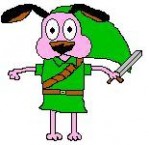
courage the cowardly dog link.JPGCourage the Cowardly Dog Link1003 viewsKia
|
|
forest_temple89.jpg1003 views
|
|
GerudoTrainingCenter.jpg1003 viewsFrom Next Generation
|
|
heartpiece7.jpg1003 views
|
|
must kill.jpgAngua (again)1003 viewsHere's what I end up drawing if I'm listening to Cradle of Filth.vaati_girl
|
|
Pegasus shoes.jpg1003 views
|
|
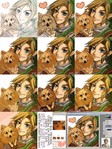
process.jpghuggles-progress1003 viewsJust showing how I work from start to finish.
And since someone at DA asked me if I use anything special in Photoshop to get "this?" look, I'll post my reply:
I just use the flat round brush (I don't really ever use feathered edges) between 50 and 70 opacity and the size of the brush is usually between 5 and 19 (unless I'm filling in a very large area.) Sometimes I use the smudge tool to brush out/blend color areas, but I try not to unless I need too. I'll also, sometimes, put highlights or colors in another layer and adjust the transparency (I did that here for the shine on his hair-- because I just wanted to paste it on real quick.) Or use the overlay layer effect for shadows. Just 'cause that's all even easier to adjust and redo. But what I just described, the way of painting, it takes me a really long time. It's just the only way (flukes not included) I seem to be able to work :/Melora
|
|
saria03.jpg1003 views
|
|
saria06.jpg1003 views
|
|

Tektite_Orange.gif1003 views
|
|
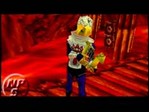
TheHarpAgain.jpg1003 viewsFrom nintendo.com
|
|
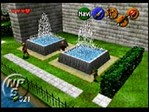
TwinFountains.jpg1003 viewsFrom nintendo.com
|
|
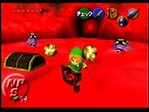
WatchOutLink!!!.jpg1003 viewsFrom nintendo.com
|
|
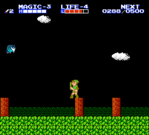
zelda2-536.png1003 views
|
|
|
|
|

Gel_Red.gif1002 views
|
|
jabujabu14.jpg1002 views
|
|
jabujabu62.jpg1002 views
|
|
| 13877 files on 579 page(s) |
 |
|
|
|
|
|
|
393 | |
|
|
|
|
|
 Register